The High-Conversion LinkedIn Profile Framework
Your LinkedIn profile is either a powerful asset or a digital resume gathering dust.
Most profiles are built to impress recruiters. Yours should be built to convert prospects.
Here's my step-by-step framework for building a LinkedIn profile that establishes authority and drives action.
The Six-Step System
Step 1: The Profile Photo
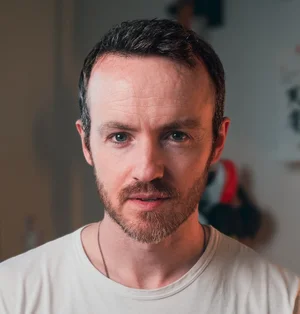
Your photo isn't about looking professional. It's about looking like someone worth listening to.
What works:
Good lighting. Hire a photographer or use natural window light. No bathroom selfies, no cropped wedding photos.
Direct eye contact. Looking at the camera. Eye contact builds trust through screens.
Blurry or neutral background. Solid color or blurred office. We don’t want anything to distract from your face.
A photo that looks like you. If you don't look like this in person, get a new photo. Trust breaks happen in first meetings.
Ask yourself: Does this photo make me look like someone who is confident and knows what they're talking about?
Step 2: The Banner Image (1584 x 396 pixels)
LinkedIn's banner is prime real estate. Most people waste it on stock photos or vague graphics.
Your banner does one of two things: clarifies what you do or drives a specific action.
Option A: Value Proposition Banner
Text overlay stating your positioning. "I help B2B SaaS founders fix broken positioning" with clean typography over relevant background.
Use this when your headline alone doesn't immediately clarify your value. We’ll get to your headline in a minute.
Option B: Call-to-Action Banner
Direct people to your lead magnet. "Download The Positioning Framework" with arrow pointing towards the Featured section (we’ll get to that in a minute too).
Use this when positioning is clear and you want to maximise conversions.
Design principles:
Must be readable on mobile. If the text is too small, it's useless.
High contrast typography. Dark text on light background or reverse.
One message only. Not a collage of everything you've ever done.
Matches your brand colors. Consistent visual identity across all touchpoints.
Ask yourself: Does this reinforce my positioning or drive an action? If it's just decoration, delete it.
Step 3: The Headline (~220 characters)
Your headline isn't a job title. It's a value proposition. Remember, your headline will be seen every time you comment on a post - so optimise for that.
Here's a comment I made on someone's post. Everyone else who looks in the comments will see my headline.
Here’s an example of a weak headline: "Marketing Consultant | Helping Businesses Grow | 15 Years Experience"
And here’s a basic formula to create a much stronger one:
[Who you serve] + [Problem you solve] + [How you're different or what to do next]
For example:
"I help B2B SaaS founders fix broken positioning so they stop competing on price → Free framework in Featured"
A few things to cut:
Job titles nobody cares about. "Chief Innovation Officer" means nothing.
Generic descriptors. "Passionate," "innovative," "results-driven." Everyone claims these.
Years of experience. Nobody cares how long, they care if you can solve their problem.
Award mentions unless directly relevant. Your Emmy doesn't matter if you're selling marketing services.
Ask yourself: Can someone read your headline and immediately know if you're relevant to them and what to do next?
Step 4: The About Section (~2,600 characters)
Your About section isn't your resume summary. It's a another conversion mechanism. This section will evolve over time, but here’s a winning approach if you’re starting out.
The structure:
Opening (100-150 words): Who you serve, what problem you solve, how you're different.
"I help B2B SaaS founders fix broken positioning. Most companies compete on features and price because their positioning is generic. I use behavioural economics principles to reframe offers so customers see them as obviously superior. My clients typically see 40-60% improvement in conversion within 90 days."
The approach (150-200 words): Your methodology or philosophy. What makes your process different.
"I don't believe in 'growth hacking' or marketing tactics. I believe in strategic positioning that makes selling easier. The frame makes the product, not the product itself. Most positioning problems are actually framing problems, change how customers perceive value, change everything."
Social proof (100-150 words): Client results, specific outcomes, credibility markers that matter.
"I've worked with Series B SaaS companies doing $10M-$50M ARR. Helped a dev tools company shift from commodity pricing to premium positioning, increasing average deal size 3x. Helped a marketing platform clarify their ICP, cutting sales cycle from 6 months to 6 weeks."
The invitation (50-100 words): What to do next. Clear call to action.
"I publish daily frameworks on strategic positioning and authority-building. Download my Positioning Framework in the Featured section below. Or if you're doing $10M+ ARR and struggling with positioning, send me a message."
What to cut:
Your career journey. Nobody cares where you started.
List of services. Save this for your website.
Inspirational quotes. This isn't a motivational poster.
Ask yourself: Does this create clarity about what you do, credibility that you can do it, and direction for what happens next?
Step 5: The Featured Section
This is your conversion engine. Most people feature their most popular post from six months ago. Wrong. Feature your highest-converting assets.
This could be a newsletter, a PDF download, meeting booking, or any other lead magnet you have.
Position 1: Your primary lead magnet with thumbnail and clear title.
"The Positioning Framework: How to Stop Competing on Price" → links to landing page.
Position 2: Newsletter or content subscription.
Update schedule: Monthly minimum. Remove what's not converting, test new assets.
Pro tip: Never add a ‘description’ to the links in the Featured section as it will force a popup on the user, meaning they have to click again to visit the asset.
Ask yourself: If someone views your Featured section and doesn't take action, what failed?
Step 6: Your Custom URL
Change your LinkedIn URL from linkedin.com/in/yourname-847392847 to linkedin.com/in/yourname
This does three things:
Makes your profile easier to share and remember.
Looks more professional in email signatures and materials.
Improves search engine visibility for your name.
How to do it:
Settings & Privacy → Public profile & URL → Edit your custom URL → Enter first initial + last name or full name if available.
Takes 30 seconds. Zero reason not to do it.
The Build Sequence
Step 1: Get a beautiful headshot. Update photo.
Step 2: Design banner based on your primary goal (clarity or conversion). Upload.
Step 3: Rewrite headline using the formula. Test variations monthly.
Step 4: Rewrite About section using four-part structure. Cut ruthlessly.
Step 5: Set up Featured section with your best assets. Link to landing pages.
Step 6: Clean custom URL. Remove random numbers.
Then optimise quarterly based on what's actually converting, not what gets likes.
What This Actually Means
High-conversion LinkedIn profiles are strategically designed to establish authority, clarify positioning, provide proof, and drive specific actions.
Everything else is decoration.
Action Steps
Audit your current LinkedIn profile against these six steps. Fix in sequence. Update systematically. Measure what converts, not what impresses.
The profile you have now was built by accident. The profile you need should convert by design.
There's a difference.